How to Look Up an LLC in Massachusetts (2026)

To look up an LLC in Massachusetts, use the Business Entity Search tool. It's run by the Corporations Division at the Secretary of the Commonwealth's office. Search by the business name, the 9-digit ID number or the filing number. Any of the three pulls up the entity's current status.
The tool covers corporations, LLCs, limited partnerships and limited liability partnerships filed with the Commonwealth. This guide walks through every search method. Two more sections cover trademark checks and who to contact when a search comes back empty.
Quick Summary
- Start with an entity name search, then switch to the ID number if you already have it.
- Confirm your name is free before you file the paperwork.
- Call or email the Corporations Division when the search tool can't answer your question.
| Search Method | What to Enter | Best For |
|---|---|---|
| Entity Name | The company name, full or partial | General lookups when you only know the name |
| Identification Number | The 9-digit Massachusetts ID number | When you already have the ID on hand |
| Filing Number or Individual Name | A specific filing's reference number, or an officer or director's name | Finding one filed document or entities tied to a person |
How to Search for an LLC in Massachusetts
Massachusetts business records live inside the Business Entity Search tool. The Corporations Division runs it. Every method below starts from that same page.
1. Search by Entity Name
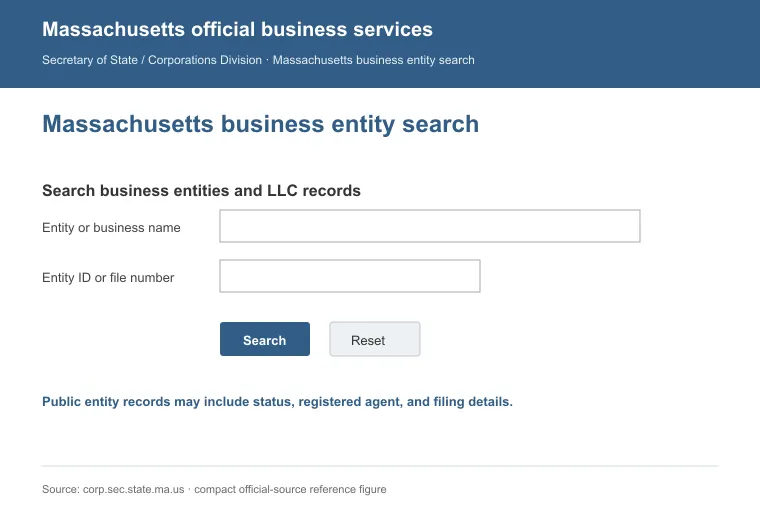
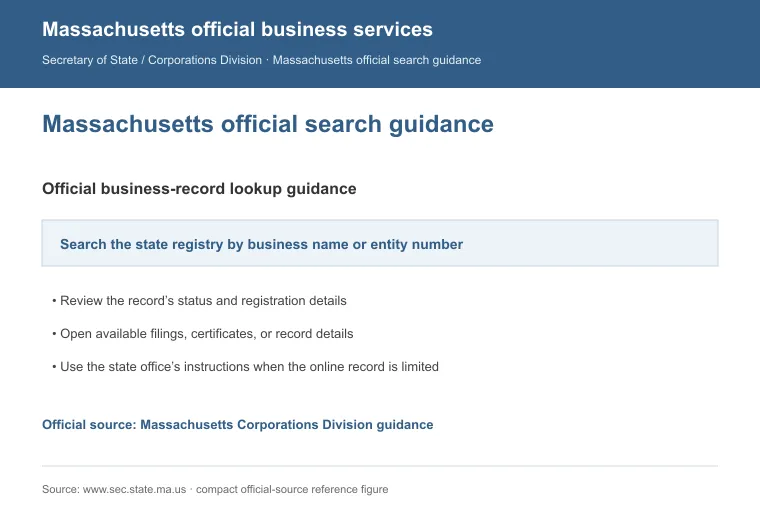
Type the company's name into the entity name field. Then submit the search. Start here if you already know the business name.
2. Search by Identification Number, Filing Number or Individual Name
If you already have the Massachusetts identification number, enter it directly. It's a 9-digit number. Each result shows the entity name and ID number. The business address, date of organization, status and registered agent appear too.
Every LLC must file an annual report. That report costs $500. It comes due each year on the anniversary of the Certificate of Organization filing date.
Two more fields sit on the same form. One is a filing number search. Use it when you already have a specific filing's reference number.
The other is an individual name search. Use it to find entities tied to an officer or director instead of a company name.
Contact the Corporations Division
The Corporations Division staffs phones and email. They handle questions the search tool leaves unanswered. Here's how to reach them:
- Phone: 617-727-9640
- Email: [email protected]
- Hours: Monday through Friday, 8:45 a.m. to 5:00 p.m.
Have the entity name or ID number ready before you call or write. Add a clear description of your question.
Other Ways to Find Business Records in Massachusetts
A sole proprietorship or DBA won't turn up in the entity search at all. State law sends those filings to the clerk of the city or town where the business operates. That clerk's office keeps the record instead of the Corporations Division [1].
The Corporations Division also runs two more search tools worth knowing about. The UCC database covers financing statements filed against a business. The liens database covers judgment and tax liens on file. Both help when you're vetting a partner or lender.
How to Check If a Business Name Is Trademarked in Massachusetts
Passing a state name search doesn't clear a federal trademark problem. Check both before you settle on a name. Federal marks live in the USPTO's trademark database.
A Massachusetts-only search never picks these up. The Commonwealth runs its own Trademark and Service Mark Search. That tool covers marks registered directly with the state.
Reasons to Perform a Massachusetts LLC Search
Checking name availability is the obvious reason to search before you start an LLC in Massachusetts. A few other situations call for the same tool:
- Confirm the entity type: a search shows whether a company is an LLC, a corporation or something else. Check first, before you assume.
- Pull registered agent details: useful for comparing the best registered agent services in Massachusetts, or for reaching an agent directly.
- Confirm a business is active: a search shows if the entity still exists. Check this before you sign or partner.
- Research the competition: knowing what's already registered in your space helps you plan your launch.
Small businesses make up 99.5% of all Massachusetts businesses, per the SBA [2]. If you're closing down instead of expanding, our guide to dissolving an LLC in Massachusetts covers what comes next. That happens once the search confirms the entity's status. For a company registered somewhere else, our guide to looking up an LLC covers the steps for any state.
FAQs
What If I Can't Find the LLC I'm Searching For?
If you can't find the LLC, double-check the spelling first. Then try a shorter or partial name before assuming it isn't there.
How Do I Reserve a Business Name in Massachusetts Before I File?
Reserve a business name by filing a name reservation application with the Corporations Division for a $30 fee. The reservation holds the name for 60 days, and you can extend it once for another 60 days by paying the $30 fee again.
Does It Cost Anything to Search for an LLC Online in Massachusetts?
No, searching for an LLC online in Massachusetts costs nothing through the Business Entity Search tool. You only pay a fee if you order a $25 Certificate of Good Standing afterward.
Where Do I Look Up a Massachusetts DBA or Trade Name?
Look up a Massachusetts DBA or trade name through the local municipal clerk's office. Massachusetts law calls it a business certificate, and the Corporations Division doesn't hold a copy at all.
References:
- https://malegislature.gov/Laws/GeneralLaws/PartI/TitleXV/Chapter110/Section5
- https://advocacy.sba.gov/wp-content/uploads/2025/06/Massachusetts_2025-State-Profile.pdf