How to Look Up an LLC in Maryland (2026)

To look up an LLC in Maryland, search the Maryland Business Express Entity Search. SDAT, the State Department of Assessments and Taxation, runs that tool. It's free, and you don't need an account to use it.
SDAT, rather than the Secretary of State, handles Maryland's business filings. The Secretary of State's office runs a separate registry instead. It covers state trademarks, which this guide gets to later.
This guide covers all three search methods on Business Express. You'll learn what each result shows. You'll also learn who to call when the portal can't answer your question.
Quick Summary
- Search by business name, Department ID or EIN. Business Express is SDAT's free entity lookup.
- Use SDAT's Business Express for LLC filings. The Secretary of State's office handles state trademarks instead.
- Maryland's official term for a registered agent is "Resident Agent."
| Search Method | What to Enter | Best For |
|---|---|---|
| Business Name | Full or partial business name | Checking whether a name is already taken |
| Department ID | The entity's Department ID (1 letter + 8 digits) | An exact match when you already have the ID |
| EIN | The business's federal Employer Identification Number | A third way to search besides name or Department ID |
Using the Maryland Business Express Entity Search
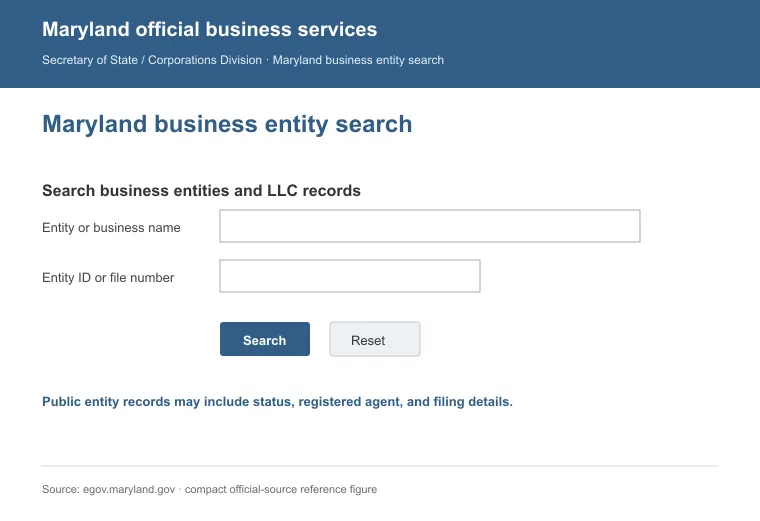
The Maryland Business Express Entity Search is SDAT's official lookup tool. You can search three ways: by business name, by Department ID or by EIN.
a. Business Name Search
Type in a full or partial business name and search. If nothing comes back, SDAT has no exact match for that name under this tool.
b. Department ID Search
Every entity registered in Maryland gets a Department ID. It's a single letter followed by eight digits. If you already have that number, enter it directly for an exact match.
c. EIN Search
You can also search by the business's federal Employer Identification Number. This is a third option, alongside business name and Department ID. It's one more way to find a specific entity.
Opening a record typically shows:
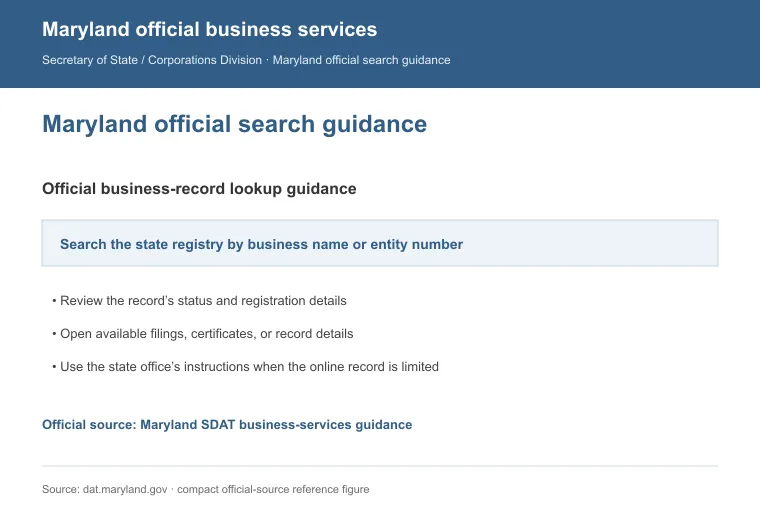
- Business name, Department ID and status (active or good standing)
- Maryland registered agent service on file (listed as the "resident agent")
- Principal office address, formation date and filing history
Contact SDAT for Search Help
If the portal doesn't answer your question, call. SDAT and the Comptroller's office both take calls. These are the numbers worth saving:
- SDAT Charter/Business Services: (410) 767-1330
- SDAT Trade Names: (410) 767-1801
- Maryland Relay (for callers who are deaf or hard of hearing): 1-800-735-2258
- Comptroller of Maryland, Central Registration (business tax registration): (410) 260-7980
Live Chat With SDAT
For a text option, the Maryland eGovernment Services Support page has a live chat tab. Don't share sensitive personal or financial information there.
Other Ways to Search for a Maryland LLC
If the methods above don't turn up what you need, try these:
- Run a quick search engine query first. It gives a rough sense of whether the name is already in use.
- Visit the Maryland Department of Assessments and Taxation homepage for forms and department contacts.
- For industry-specific LLCs, check niche directories or trade databases. They can fill gaps a state database won't cover.
- Third-party databases aggregate business data across states, useful for competitive research.
Note: stick to official sources whenever you need accurate, current data. Third-party tools are fine for background research, but confirm any result against SDAT's own records before you rely on it.
How to Check for Trademark Conflicts in Maryland
Checking name availability on Business Express only tells you one thing. It shows whether a name is taken as an LLC. It won't tell you about a trademark, which is a separate check covered below.
1. Search the USPTO Database
The USPTO handles federal trademark registration for the entire country. That includes every business based in Maryland. To run a search:
- Go to the Trademark Electronic Search System (TESS).
- Enter the business name you want to check.
- Review any results that match or closely resemble your name.
- Check the listed class of goods or services. A conflict in one industry doesn't mean a conflict in yours.
The 45 trademark classes exist to simplify registration. They also help flag potential infringement. That's per Mandour & Associates, an IP law firm [1].
2. Search Maryland's State Trademark Registry
Maryland also runs its own state trademark registry through the Maryland Secretary of State. Call that office to check whether a mark is open. You can also search their database directly. Registering a mark costs $50.
3. Talk to an Attorney
For a thorough answer, talk to an IP attorney. A database search won't catch common law rights. Those rights arise simply from using a mark in commerce [2].
JD Supra flags a related myth about trademark rights. It's the assumption that an unregistered name is automatically safe to use in commerce.
Reasons to Search for a Maryland LLC
A search confirms name availability before you start an LLC in Maryland. Here's why it's worth running one before you act:
- To confirm an LLC exists before entering a transaction, partnership or collaboration with it.
- To verify an LLC is in good standing. That means it filed its annual reports and paid its fees.
- To confirm the resident agent on file. This is the contact for legal documents on the LLC's behalf.
- To avoid name conflicts. Checking for similar existing names first helps prevent a rejected filing.
- To research competitors in your space.
A quick search can save you from filing errors and deals gone sideways. For a company outside Maryland, we have you covered too. Our guide to looking up an LLC covers the same process state by state.
FAQs
How Do I Add a Trade Name to an Existing Maryland LLC?
To add a trade name, file a Trade Name Application with SDAT and pay the $25 fee. Approval lasts five years, and it's renewable within the last six months of that period.
Do I Need a Trade Name in Maryland?
No, a trade name is optional in Maryland. You only need one if you plan to do business under a name different from your legal entity name.
What Is a Resident Agent in Maryland?
A resident agent is Maryland's term for what most states call a registered agent, the contact who accepts legal papers for an LLC. That agent must be a Maryland resident 18 or older, or a Maryland corporation or LLC.
What Does a Forfeited Status Mean on a Search Result?
A forfeited status means SDAT revoked the entity's right to do business in Maryland, usually for a missed report, an unpaid fee or a lapsed resident agent.
References:
- https://www.mandourlaw.com/trademark-classes/
- https://www.jdsupra.com/legalnews/ten-trademark-myths-and-how-they-can-77457/