How to Change Your LLC Name in California (2026)

To change your LLC's name in California, you file Form LLC-2-NA, the Amendment to Articles of Organization for a name-only change, with the California Secretary of State and pay a $30 filing fee. You can file online, by mail or in person, and the state doesn't publish a fixed processing time.
Your name change doesn't touch anything else about the LLC. You keep the same EIN, the same entity number and the same formation date. Once the state approves the amendment, you'll need to update the name everywhere else it appears, from your bank to your contracts.
Quick Summary
- Run a name search before you file. A name too close to one on record gets your amendment rejected.
- Get member approval first. California requires unanimous consent by default, so check your operating agreement or plan for a full vote.
- File electronically if timing matters. Mailed filings queue up behind online ones, and the state doesn't promise a fixed turnaround.
California LLC Name Change: Quick Reference
Here's the quick-reference version of every fee, filing method, address and form you'll need to change an LLC's name in California:
| Detail | Information |
|---|---|
| Form name | Form LLC-2-NA (Amendment to Articles of Organization, Name Change Only) |
| Filing fee | $30 (plus an optional $5 certification fee) |
| Filing methods | Online, by mail or in person (no fax) |
| Online portal | bizfileOnline |
| Mail address | Secretary of State, Business Entities, P.O. Box 944260, Sacramento, CA 94244-2600 |
| In-person address | Secretary of State, Business Entities, 1500 11th Street, Sacramento, CA 95814 (+$15 special handling fee) |
| Fax | Not offered |
| Processing time | No fixed day-count published; the state posts a rolling received-date queue (about a week behind as of this run). Guaranteed faster service costs $350-$750. |
| Name reservation form / fee / period | Name Reservation Request / $10 / 60 days |
| Correction form / fee | Certificate of Correction (Form LLC-LP-11) / $30 |
How to change your California LLC name
Here's the three-step process for a California LLC name change, from checking availability to filing the amendment. It's the same basic pattern used to change an LLC name in every state, just with California's own form and fees.
Step 1: Confirm the new name is available
Search the California Business Search tool on the California Secretary of State's website first. It's a preliminary check against other LLC names on file, and it won't catch trademarks or county-level fictitious business names owned by someone else.
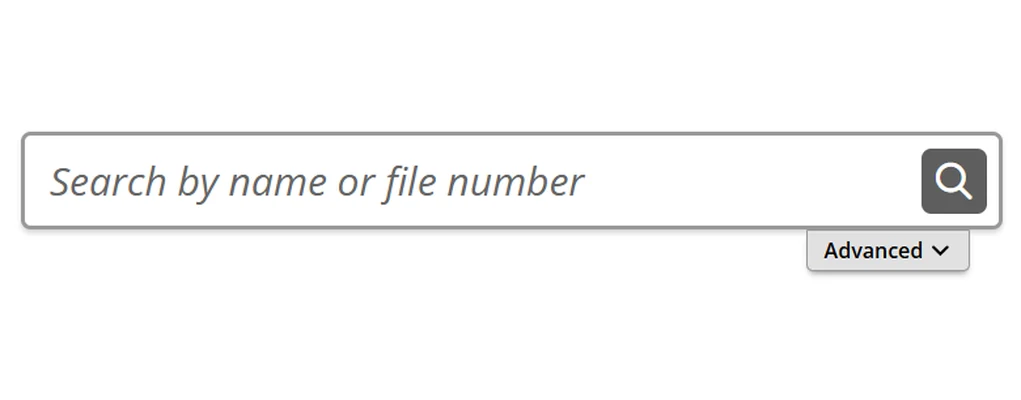
Your new name also needs an LLC identifier like "LLC," and it can't include restricted words like "bank" or "trust."
If you're not ready to file the amendment yet, you can reserve the name for 60 days with a Name Reservation Request. It costs $10 and mails to the Secretary of State's Name Availability Unit, a different address than the one you'll use for the amendment itself.
This is also a good time to look up an existing LLC in California if you want to check a competitor's filing history before you commit to a name.
Step 2: Get member approval
Check your operating agreement first. If it sets a voting threshold for amendments, follow that. If it's silent, California's default rule requires the unanimous vote of all members to amend the articles of organization.
The law never lets that threshold drop below a majority either way, no matter what the operating agreement says [1].
Hold a meeting, walk through the proposed name, and put the vote in writing. A signed resolution or written consent works fine.
You don't need to file it with the state, just keep it with your LLC's records. If you're the only member, you can skip the formal meeting and simply document your decision for your own files.
Step 3: File the Form LLC-2-NA
Fill out Form LLC-2-NA if a name change is all you need. If you're also changing the LLC's management structure at the same time, use the broader Form LLC-2 instead, since it costs the same $30 and covers both changes.
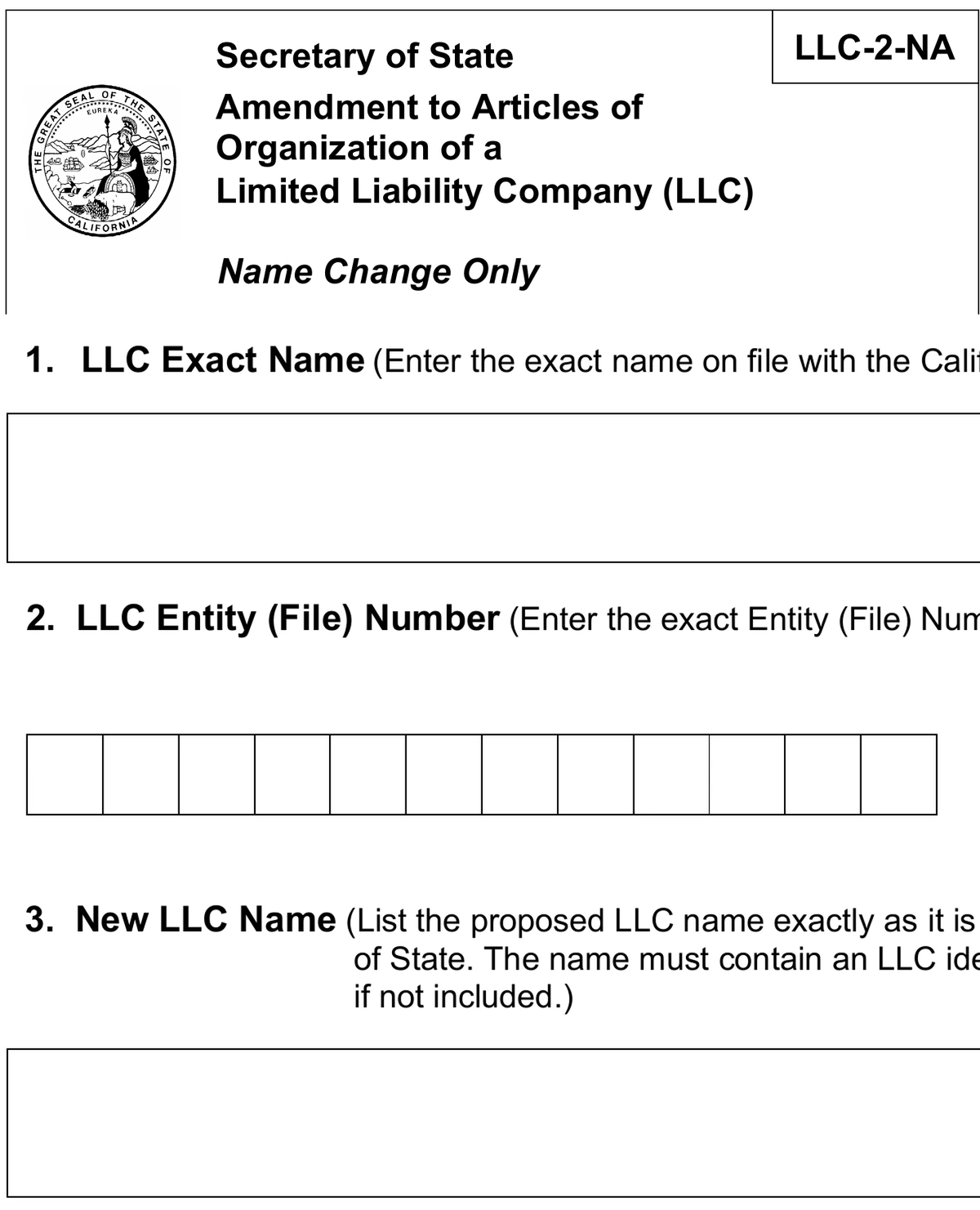
The Secretary of State already has your entity number on file from when you first started an LLC in California.
File it online through bizfileOnline for the fastest turnaround, or mail a check made out to the Secretary of State to P.O. Box 944260, Sacramento, CA 94244-2600.
Walking it into the Sacramento office works too, though that adds a $15 special handling fee that mail filings skip. California doesn't accept amendment filings by fax.
If you need it faster, California also sells guaranteed turnaround for an extra fee, starting at $350 for next-day service and running to $750 for same-day.
Regular filings don't get a fixed day count. The state works through requests in the order it receives them and posts the current queue online, so the wait shifts with volume.
Once it's approved, the amendment is on record under the new name. You can request a certified copy for an extra $5 if you need proof for a bank or licensing board.
The amendment only updates your LLC's name. It doesn't cover your business address or your agent for service of process. Those go through a separate Statement of Information (Form LLC-12), filed online at bizfileOnline.
After your name change is approved: what to update
Once your amendment is approved, update the name everywhere else it lives:
- File a new Statement of Information (Form LLC-12) to reflect the new name with the state, and update any city or county business licenses and permits tied to the old one.
- The IRS: a name change alone doesn't require a new EIN. Sole owners write a signed letter to the IRS address where they file, while partnerships and corporations can change their business name by checking the box on their next tax return instead.
- Most banks and lenders want to see the filed amendment before they'll update your account name.
- Contracts, clients and vendors: update vendor, client and lease agreements to carry the new name, and send a short notice so invoices and paperwork addressed to the old name don't bounce back.
- Your operating agreement should list the new name too, so it matches your filed state records.
- Let your registered agent know about the new name too. If you ever need to fully change your registered agent in California instead, that's a separate filing from this one.
Alternatives to a formal name change
A full amendment isn't always the right move. Two other paths might fit better depending on what you're actually trying to fix.
1. DBA / trade name
If you just want to operate under a second name without changing your LLC's legal name, file a fictitious business name (DBA) with the county clerk in the county where your LLC's main office sits, not with the Secretary of State [2].
Fees and renewal rules are set by each county, so check with your local clerk's office directly. A DBA also isn't checked against the Secretary of State's LLC name records, so it's not a substitute for a proper availability search.
2. Certificate of Correction (errors only)
Form LLC-LP-11 fixes a previously filed document that had a typo, a wrong detail or a defective signature. It doesn't cover a name you simply want to change. It costs the same as the amendment, and the correction applies retroactively back to the original filing date.
FAQs
How Much Does It Cost to Change an LLC Name in California?
It costs $30 to change an LLC name in California by filing Form LLC-2-NA, plus an optional $5 if you want a certified copy.
How Long Does a California LLC Name Change Take?
A California LLC name change doesn't take a set number of days. Regular filings move through in the order they arrive, so how long yours takes depends on current volume. Paying for guaranteed turnaround is the only way to lock in a faster date.
Do I Need a New EIN After Changing My LLC's Name in California?
No, you don't need a new EIN after changing your LLC's name in California. Notify the IRS by letter or on your next tax return instead, depending on how the LLC is taxed.
What Is a Fictitious Business Name in California?
A fictitious business name in California is a name your LLC operates under besides its legal name. The state never checks a DBA against its LLC name database, so filing one doesn't reserve or protect that name anywhere else.
References:
- https://leginfo.legislature.ca.gov/faces/codes_displaySection.xhtml?lawCode=CORP§ionNum=17704.07
- https://leginfo.legislature.ca.gov/faces/codes_displaySection.xhtml?lawCode=BPC§ionNum=17900





Changing an LLC name in California looked confusing at first, but this made it pretty straightforward. Good to know what forms and fees are involved.