How to Track Business Expenses (Complete 2026 Guide)

As a small business owner, you're probably losing $500–$3,000 yearly in missed deductions from poor expense tracking—a pattern I’ve seen in dozens of client audits as Venture Smarter’s CEO.
And if you mix personal and business spending, you're putting yourself on the IRS's radar — they can go back through your records for years.
This guide walks you through my simple 6-step system: dedicated bank accounts, software setup, smart categorization, and automation to save money and stay compliant.
Quick Summary
- Set up a dedicated business bank account and use accounting software to automatically categorize and track all business expenses.
- The IRS generally requires businesses to maintain expense records for multiple years, depending on the situation.
- Over 25% of small business owners admit to mixing personal and business finances.
Step-by-Step Business Expense Tracking Process

These are the same six steps I walk my clients through — start at the top and build from there.
Step 1: Open a Dedicated Business Bank Account
You need a separate business bank account — full stop. It keeps your finances transparent and shields your personal assets from business liabilities.
When your accounts are separate, pulling together reports at tax time is easy, and you skip the nightmare of sorting through mixed transactions every April.
Here's what to do:
- Pick a business checking account that sorts expenses into categories and connects with accounting software like Xero or its alternatives.
- Get a business credit card with detailed transaction reporting and automatic categorization to track business expenses in real time.
- Make sure your bank lets you download transactions in formats that work with your accounting tools — you want smooth, automatic bank feeds.
- Set up separate accounts for different business purposes if needed, including operating expenses, payroll taxes, and tax savings, so you're not scrambling when quarterly taxes are due.
Check if the bank offers direct API connections. After 120+ hours of research across banking options, I’ve found that this feature can reduce expense tracking time by 20-30%.
Step 2: Choose Your Expense Tracking Method
After trying everything from spreadsheets to shoeboxes of receipts, I’ve found that the “right” expense tracking method is the one you’ll actually use consistently.
For businesses processing fewer than 50 transactions monthly, a well-organized spreadsheet can work. However, error rates climb to 10-20% without automated systems, and you risk leaving money on the table at tax time.
Cloud-based accounting software does the data entry for you and gives you real-time dashboards so you can see where your money goes.
Do this:
- Look at accounting software options like Xero, QuickBooks Online, or FreshBooks. Pick one based on your business size, complexity, and how you spend.
- Think about mobile expense apps that let you scan receipts and log expenses on the spot.
- Go with a cloud-based system you can access from any device, anywhere — especially useful on business trips or when you work remotely.
- Ensure your chosen method integrates with your bank accounts and credit cards for automatic transaction importing and accurate financial statements.
Step 3: Establish Expense Categories
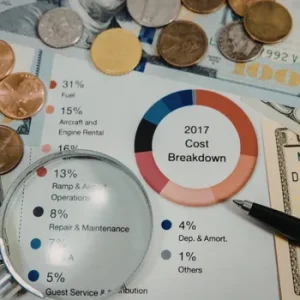
When I audit messy books, a good half of the confusion comes from inconsistent or random expense categories.
Proper expense categorization following IRS guidelines ensures you claim deductions correctly and maintain detailed records that withstand audits.
The IRS requires expenses to be “ordinary and necessary” under Section 162 of the Internal Revenue Code, making accurate categorization essential for tax compliance [1].
Here's how you do it:
- Create categories following common tax and accounting guidelines: office supplies, travel expenses, meals, professional services, marketing, utilities, and internet services.
- Set up subcategories for detailed tracking (e.g., Marketing > Social Media Ads, Print Advertising, Trade Shows) to identify spending patterns.
- Include categories specific to your industry such as inventory and raw materials for retail, equipment maintenance for construction, or contractor costs for service businesses.
- Keep your category names consistent all year. It makes reporting accurate, tax prep simpler, and your financial reports reliable.
Step 4: Implement Receipt Management
In my own firm, we stopped losing deductions the moment we treated receipts like money and not like scraps of paper.
The IRS requires businesses to keep receipts and detailed records for at least 3 years from the filing date, with some circumstances requiring up to 7 years of documentation [2].
Modern OCR technology in apps like Expensify extracts data with 95-99% accuracy, transforming paper receipts into digital receipts instantly.
Make sure you:
- Use mobile apps to photograph receipts immediately after purchases and upload receipts to cloud-based systems for permanent storage.
- Set up a filing system for physical receipts organized by date and expense categories, ensuring you can store receipts securely.
- Establish a routine for weekly receipt processing to prevent backlogs, lost documentation, and forgotten transactions.
Step 5: Set Up Automated Tracking
The biggest time win I’ve seen for clients is when they finally let software do the boring work instead of manually entering every transaction.
Automated expense tracking cuts manual entry by up to 55% based on industry benchmarks, and businesses using AI-driven tools recover 15–20% more deductions through better categorization [3]. That directly improves your cash flow.
Check these four items:
- Connect bank accounts and credit cards to your accounting software for automatic transaction importing via secure API connections like Plaid.
- Set up rules so the software automatically categorizes expenses based on vendor names and amounts — most apps learn your patterns over time.
- Set up recurring expense entries for monthly software subscriptions, rent, health insurance, and other regular payments.
- Schedule weekly reviews to verify automatic categorizations, make corrections as needed, and reconcile expenses against bank statements.
Step 6: Monitor and Reconcile Regularly

In nearly every audit I’ve been called into after the fact, the root problem was the same: nobody reconciled the accounts regularly.
With regular expense tracking, you catch errors before they snowball, flag unauthorized charges, and get the accurate financial picture lenders want to see.
If you stop paying attention to your costs, you'll miss chances to save money — like renegotiating with vendors who are overcharging you.
Never forget to:
- Perform monthly bank reconciliations to ensure all transactions are recorded, categorized correctly, and matched against bank statements.
- Review expense reports weekly to identify unusual spending patterns, potential errors, duplicate charges, or policy violations.
- Compare what you actually spent against your budget for each category so you can make smarter decisions about where your money goes.
- Pull together quarterly expense summaries to prepare for taxes, stay on top of bills, and find places to cut costs.
Why Track Business Expenses?
Keep detailed records of every business expense throughout the year — you'll recover thousands in deductions and always be ready if the IRS audits you.
The average penalty for poor recordkeeping is $5,000, and it's entirely avoidable [4]. Staying on top of spending also matters because 82% of small business failures come down to cash flow problems [5].
Accurate financial data sharpens every decision you make about costs, margins, and strategy. And keep your business and personal finances separate — it protects your personal assets, looks more professional, and makes tax time far less painful.
Types of Business Expenses to Track

Most small business owners I've worked with are surprised by how many of their everyday costs actually qualify as deductions — here's what to track.
There are five main types:
- Operating expenses including rent, utilities, phone, internet services, and office supplies—typically ranging from $500 to $5,000 monthly for small businesses.
- Professional services such as legal fees (e.g., $150–$500 per hour), accounting services (e.g., $100–$300 per hour), financial advisor consultations, and consulting fees.
- Travel expenses including mileage at the current IRS standard rate of $0.70 per mile for 2025, airfare, lodging, and 50% of business meals during business trips [6].
- Marketing and advertising costs for website development, social media ads, print materials, trade show participation, and sales tax on promotional purchases.
- Equipment purchases and depreciation for computers, machinery, vehicles, and software subscriptions—potentially deductible under Section 179 provisions up to annual limits [7].
Four Common Expense Tracking Mistakes
In my experience, there are four tracking mistakes that are almost always avoidable with a few simple habits in place.
Here's what I see most often:
- Failing to keep receipts for cash transactions and small purchases under $25, missing potential deductions that accumulate to hundreds annually.
- Categorizing similar expenses differently throughout the year, which creates confusion at tax time and unreliable reports.
- Waiting until year-end to organize expenses, leading to forgotten transactions, lost documentation, and rushed reconciliation.
- Not tracking mileage for business travel using apps that track mileage automatically—10,000 miles annually yields approximately $7000 in deductions.
Best Expense Tracking Tools

- Xero provides cloud-based accounting with automatic bank feeds, receipt capture, and multi-currency support, with entry-level plans around $15 monthly.
- QuickBooks Online offers comprehensive expense tracking with bank integration, expense reports, and financial planning tools, starting at around $30 per month for small businesses.
- FreshBooks combines expense tracking with invoicing, time tracking, and billable expense markup for client billing, with plans beginning around $17 monthly.
- Zoho Books covers expense tracking, invoicing, bank reconciliation, and automation, with a free plan for businesses under $50K in annual revenue and paid plans from $20 per month.
Success Stories
These are real clients I've worked with.
Digital Marketing Agency Saves $4,200 Annually
A digital marketing agency I audited implemented automated expense tracking in January 2023 after years of chaotic manual methods.
Previously, they missed deductions for software subscriptions, client entertainment, and home office expenses. Within 3 months, the tracker flagged $350 a month in duplicate software subscriptions.
The team saved $4,200 in the first year through better expense tracking, eliminated $2,100 in wasted subscription costs, and reduced tax preparation time from 40 hours to 8 hours annually.
Construction Contractor Improves Cash Flow by 25%
Another business, this time in construction, started using an app with receipt scanning in March 2023 after struggling with manual tracking and shoebox receipts.
Their owner implemented weekly expense reviews and monthly budget variance reports, establishing a consistent routine to manage expenses properly. Within 60 days, the company identified $1,200 monthly overspend on raw materials and renegotiated supplier contracts.
Cash flow improved 25% within six months, and net profit margin went from 8% to 12% — they also saved time and generated the reports they needed to secure a $150,000 equipment loan.
FAQs
How Long Should I Keep Business Expense Records?
You should keep business expense records for at least 3 years from the tax filing date, with longer retention for certain losses or bad debt claims. When in doubt, maintain financial records for 7 years, especially for major purchases and property records.
What Expenses Can I Deduct as a Small Business?
You can deduct ordinary and necessary business expenses including office supplies, professional services, travel, meals (usually 50%), equipment, and home office costs. Common deductible small business expenses include advertising, health insurance, legal fees, software subscriptions, and vehicle use.
Should I Use Cash or Accrual Accounting for Expense Tracking?
You should typically use cash accounting for expense tracking, because it is simpler and records expenses when paid, not when incurred. Larger businesses exceeding $29 million in average annual gross receipts must use accrual accounting per IRS requirements.
Can I Track Business Expenses on My Phone?
Yes, you can track business expenses on your phone using mobile apps like Expensify, QuickBooks Mobile, or Receipt Bank . Mobile tracking helps reduce lost digital receipts and forgotten transactions.
What Happens If I Don’t Track Business Expenses Properly?
If you don't track business expenses properly, you'll overpay on taxes, face higher audit risk, and have a harder time getting business loans.
Conclusion
After working with dozens of small business owners on expense tracking, the biggest shift I see is when people stop treating bookkeeping as a once-a-year scramble and start treating it as a regular habit.
Of the tools I've used with clients, Xero works well for small businesses that want bank feeds, receipt capture, and multi-currency support without needing an accountant to set it up. For tracking expenses and staying tax-ready, plans start around $15 a month and the time it saves pays for itself quickly.
Pick a tool, connect your accounts, and commit to a 15-minute weekly review. That one habit puts you ahead of most.
References:
- https://www.law.cornell.edu/uscode/text/26/162
- https://www.irs.gov/businesses/small-businesses-self-employed/how-long-should-i-keep-records
- https://cdn2.hubspot.net/hubfs/3906991/State%20of%20expense%20management%20report%202019.pdf
- https://www.irs.gov/payments/accuracy-related-penalty
- https://www.score.org/resource/blog-post/1-reason-small-businesses-fail-and-how-avoid-it
- https://www.irs.gov/pub/irs-drop/n-25-05.pdf
- https://www.irs.gov/pub/irs-dft/i4562--dft.pdf

