How to Look Up an LLC in Wisconsin (2026)

You can look up an LLC in Wisconsin through the Corporate Records Search run by the Department of Financial Institutions (DFI). Search by the business name or its DFI Entity ID#. The tool shows the entity's current filing status.
That record shows the registered agent, filing status and history on file with the state. If it doesn't answer your question, call or email DFI's Division of Corporate and Consumer Services, or try a handful of informal sources instead.
Quick Summary
- To look up an LLC in Wisconsin, search the DFI's WI Corporate Records Search by entity name or DFI Entity ID#.
- The search is free, needs no account and shows an LLC's status, registered agent and filing history.
- Call the Division of Corporate and Consumer Services at (608) 261-7577 or email [email protected] if the online search doesn't answer your question.
| Method | What to Enter | Best For |
|---|---|---|
| WI Corporate Records Search | Entity name or DFI Entity ID# | Confirming an LLC is on file and viewing its full record |
| Trademark Search Portal | Mark name (account required) | Checking for a state-level trademark conflict |
| USPTO Trademark Search | Business or product name | Checking for a nationwide trademark conflict |
How to Search for an LLC in Wisconsin
To search for an LLC in Wisconsin, look up the business name or DFI Entity ID# on the WI Corporate Records Search. The database covers entities on file with the state. If you haven't filed your LLC's paperwork yet, see how to start an LLC in Wisconsin first.
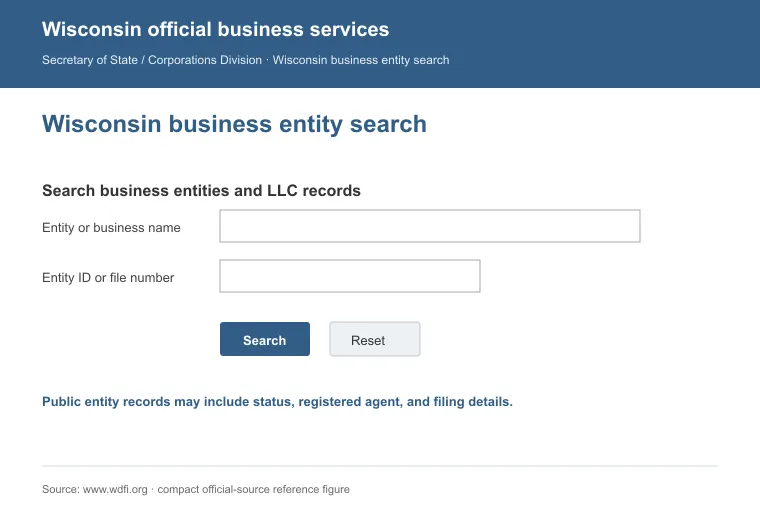
A search record can show:
- Legal entity name and type
- Current status (active, dissolved, delinquent)
- Registered agent name and office address
- DFI Entity ID# and filing history
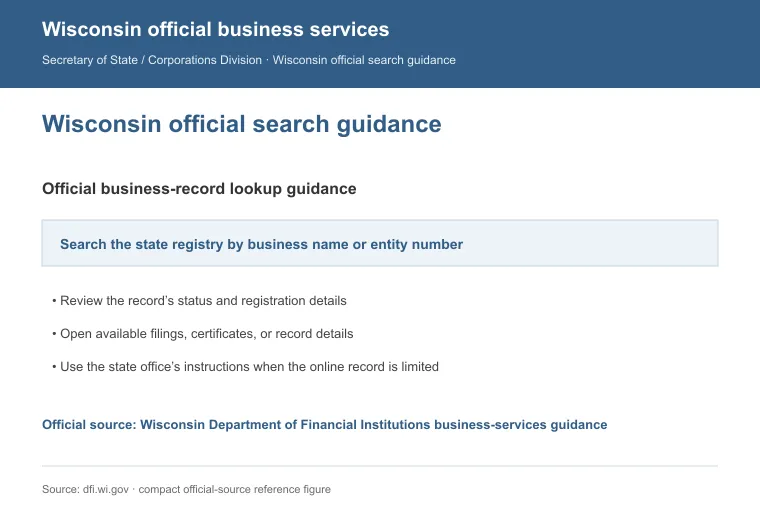
Here's how to run a search:
- Open the search page linked above.
- Enter the entity name, or switch to the Entity ID# search if you already have the DFI Entity ID#.
- Review the matching results.
- Click the entity name to open its full record.
- Read through the record for the registered agent, status and filing history you need.
A tip: if there are no matches, try a partial version of the name, double-check the spelling, or switch to the Advanced Search option for a different way in.
Search by Name or DFI Entity ID#
Any entity on file gets a DFI Entity ID# once it registers. With the ID# in hand, enter it directly to search by that number instead of the name.
Searching by name works too, and the ID# is separate from the IRS-issued FEIN, which the search doesn't return. If you need a new registered agent, compare registered agent services in Wisconsin first.
Call or Email the Division
For a question the search can't settle, call DFI's Division at (608) 261-7577, Monday to Friday, 7:45 a.m. to 4:30 p.m. Central, with the entity's name or DFI Entity ID# ready.
For a written record, email [email protected] instead, stating the entity's name or DFI Entity ID# and what you need.
Try a Few Unofficial Search Methods
State records aren't the only source on a Wisconsin LLC. A few unofficial checks can round out what the entity search misses.
a. Credit Bureaus. They keep business records too, searchable by name, address or owner, usually for a fee that varies by bureau.
b. Search Engines. A plain Google or Bing search on the business name can turn up news, complaints or a company website worth a closer look.
c. Social Media. A company's own profiles often show its name, location and other details for free, and hint at whether it's still active.
d. Trade Associations. Trade groups covering the same industry can point you toward a business's history and other similar businesses worth comparing it against.
LLC Name Requirements
Wisconsin LLC names have to follow a few naming rules before DFI will register them. The name must be distinguishable in DFI's records from other business entities already on file, and adding or dropping only an entity-type word, like "LLC" or "Inc.," doesn't make two names distinguishable on its own [1].
The name must also include "Limited Liability Company," "LLC" or "L.L.C." to identify the business structure, and it can't use wording that misleads the public about what kind of entity it is.
How to Check If a Business Name Is Trademarked in Wisconsin
A clean entity search doesn't guarantee your LLC name is free of trademark conflicts, so check both registries below before you finalize it.
1. Wisconsin Trademark Search Portal
DFI runs its own Trademark Search Portal, separate from the entity search. It's free, but it requires creating an account first.
- State-Level Search: Search the portal for your desired name, or a similar one, already registered as a Wisconsin trademark.
- Registration Isn't Mandatory: A Wisconsin trademark registration isn't required to use a mark, but it's available and lasts 10 years unless cancelled or revoked [2].
2. USPTO Trademark Database
State registration only protects a name inside Wisconsin. Run a second search on the USPTO's Trademark Search tool to check for a nationwide conflict.
Reserving a Wisconsin Business Name
Reserving a name secures it while you prepare your Articles of Organization. Submit a Name Reservation Application to DFI. The $15 fee holds the name for 120 days, so no one else can register it before you file.
Reasons to Perform a Search
Here are a few reasons to run a Wisconsin LLC search:
- Legal Compliance: Confirm your name doesn't conflict with an existing entity.
- Due Diligence: Verify a business is legitimate before a deal.
- Market Research: Identify existing businesses in your sector.
- Vendor Checks: Confirm a supplier exists and is active.
A quick search saves time later, especially before you compare LLC formation services in Wisconsin under a clear name. Closing an LLC follows a different process. See how to dissolve an LLC in Wisconsin for those steps.
For a business in a different state, the how-to-look-up-an-llc hub breaks the process down state by state. For a paper trail, a Certificate of Status or certified copy costs $10 each through DFI.
FAQs
Do I Need a Name Reservation for Wisconsin?
No, you do not need a name reservation for Wisconsin. You can file your Articles of Organization with your desired name directly.
Does My LLC Need a DBA in Wisconsin?
No, your LLC doesn't need a DBA in Wisconsin. A DBA lets a business operate under a name different from the one on its Articles of Organization.
Does Wisconsin Charge Anything to Run an LLC Search?
No, Wisconsin doesn't charge anything to search the WI Corporate Records Search, and it needs no account. You only pay if you order a certificate or certified copy.
References:
- https://law.justia.com/codes/wisconsin/chapter-183/section-183-0103/
- https://law.justia.com/codes/wisconsin/chapter-132/section-132-01/