How to Look Up an LLC in West Virginia (2026)

You won't pay a cent to look up an LLC in West Virginia. Use the state's Business Organization Search, and matching results show up right away.
Open a match to see its full record. Still stuck? A few other options can help, and they're covered below.
Quick Summary
- Search West Virginia LLCs through the Secretary of State's Business Organization Search, by name or by agent/officer.
- LLCs file annual reports through the WV One Stop Business Portal, and trademark checks use a separate tool.
- Call or email the Business Division when the online search doesn't answer your question.
| Method | What to Enter | Best For |
|---|---|---|
| Business Organization Search | Organization name or Agent/Officer name | Confirming an entity is on file and opening its full record |
| Search Registered Marks | Mark name or owner name | Checking for a state-level trademark conflict |
| USPTO Trademark Database | Business or product name | Checking for a nationwide trademark conflict |
How to Search for an LLC in West Virginia
West Virginia's Secretary of State runs one central search tool: the Business Organization Search. Haven't filed your LLC's paperwork yet? See how to start an LLC in West Virginia first.
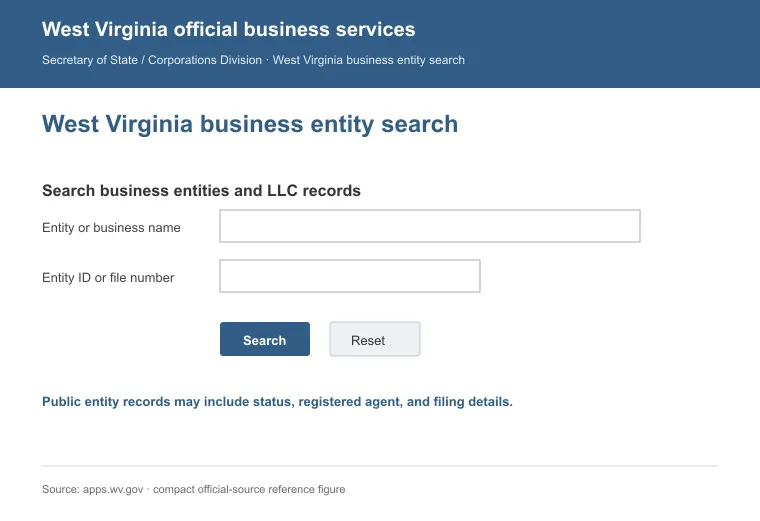
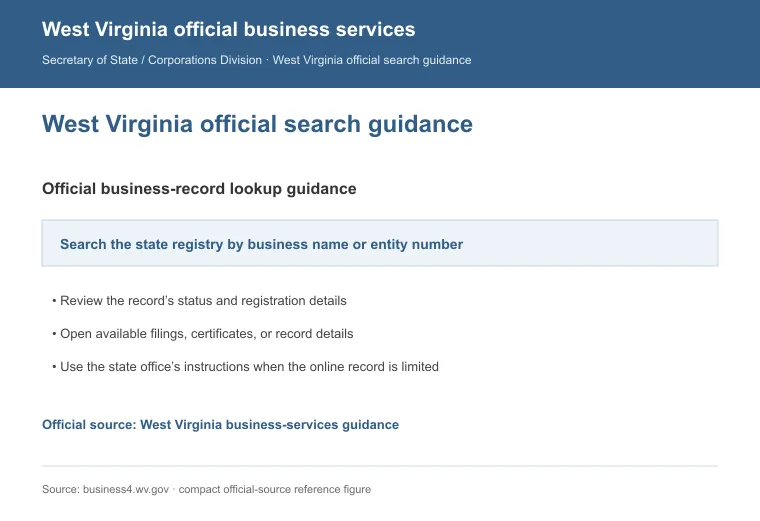
Here's how to run a search:
- Open the Business Organization Search page.
- Type the entity's name, or an agent/officer's name.
- Review the matching results.
- Select the entity to open its full record.
- Read through the record for the details you need.
A tip: no matches? Try a partial name, use the % wildcard, or confirm the entity registered in West Virginia and not another state.
West Virginia gives you four ways to search for a business, from the online tool to a live call or email.
1. Use the West Virginia Business Organization Search
You can search by name with the tool, and it's free to use. It covers registered companies statewide, and it works two different ways.
a. Search by Organization Name
Type the name into the Organization field and run the search. The results list any close or exact match, so you can judge if your name choice is free.
b. Search by Agent or Officer Name
Enter a person's name in the Agent/Officer field instead. This surfaces the companies tied to that agent or officer. It helps when you're researching a person's history, not one company.
Open the Advanced Search Options for more filters. Then pick a result to view its record. It shows the entity's status, formation date, address and registered agent contact details.
2. Call the Business Division
Prefer a live answer? Call (304) 558-8000 (toll-free (866) 767-8683). Have the entity's exact name ready before you dial, since a clear name gets you a faster answer.
3. Email the Business Division
Email works better for a written record, or when you need to send documents. Reach the general inquiries address at [email protected]. Say what you need, and name the entity. A call is faster, but email leaves a paper trail.
4. Try a Few Unofficial Search Alternatives
State records don't cover everything. A couple of informal checks fill the gaps:
a. Domain Names
A name search only checks the legal name, not a matching web domain. Search a registrar like GoDaddy or Namecheap to see what's still open.
b. Industry and Local Directories
Trade groups, licensing boards and chamber listings can surface a company a plain search misses, plus contact details and reviews.
Need a new registered agent instead? Compare registered agent services in West Virginia first. West Virginia LLCs also file a yearly report. The state charges a $25 fee, due between January 1 and June 30, through the WV One Stop Business Portal [1].
How to Check if a Business Name Is Trademarked in West Virginia
A clean name search doesn't rule out a trademark conflict, since the state and federal registries cover different ground. Here's how to check for one before you commit to a name.
1. Search West Virginia's Registered Marks
The Business Organization Search mainly checks whether another WV business already holds the name, not whether it's trademarked. For state-level marks, use the Secretary of State's Search Registered Marks tool instead.
2. Search the USPTO Trademark Database
State registration only protects the name inside West Virginia. Run a second search on the USPTO's trademark database (TESS) to check for a nationwide conflict.
3. Consider Variations and Similarities
A conflict isn't limited to an identical name. A confusingly similar mark, including a phonetic near-miss or a close spelling variation, can raise the same objection as an exact match.
4. Evaluate the Results
If a similar or identical mark turns up, compare the goods and services it covers against your own before deciding it's a real conflict.
5. Talk to an Attorney
If either search turns up something unclear, ask a trademark attorney whether it's a real conflict before you commit to the name.
Reasons to Perform a Search
A thorough search matters for more than curiosity, and the reasons below are worth a few minutes of your time.
- Legal Compliance: confirms your name doesn't collide with one already on file.
- Brand Identity: helps you build a name that's actually yours to use.
- Trademark Risk: a clear state search doesn't rule out a federal conflict, so check both registries.
- Domain Availability: a taken domain can complicate your online presence.
- Due Diligence: reviewing a company's filing history matters before a deal or investment.
- Competitor Research: shows who else operates under a similar name, and for how long.
A quick search saves time later, especially before you compare LLC formation services in West Virginia and file under a name that's actually clear. Closing one down follows a different process: see how to dissolve an LLC in West Virginia for those steps. Checking a business in a different state? The how-to-look-up-an-llc hub breaks the search down state by state.
Need an official copy instead of just a look? A Certificate of Existence from the Secretary of State's office costs $10 for standard processing [2].
FAQs
Does It Cost Anything to Search for an LLC in West Virginia?
No, it doesn't cost anything to search for an LLC in West Virginia through the Business Organization Search. You only pay for a certificate or a copy of a filing.
What Information Can I Find in a West Virginia LLC Search?
A West Virginia LLC search shows whether the entity is on file and lets you open its full record, including its status, formation date and registered agent.
Is an Account Required to Search for an LLC in West Virginia?
No, the Business Organization Search doesn't require an account to run a search. You only need to sign in through the WV One Stop Business Portal when you file something, like an annual report.
How Much Does a Certificate of Existence Cost in West Virginia?
A standard Certificate of Existence from the West Virginia Secretary of State costs $10, and it typically takes five to ten business days unless you pay for expedited service.
References:
- https://sos.wv.gov/business/updates-and-changes/annual-reports
- https://sos.wv.gov/certificates-existence-or-certificates-authorization