How to Look Up an LLC in Minnesota (2026)

To look up an LLC in Minnesota, search the Secretary of State's Business Filings Online portal by business name or file number. It's the state's own record of every registered LLC.
The Secretary of State's Business Services division runs the Business Filings Online portal. It's the same office that processes new LLC filings and answers phone questions about them.
We cross-checked the search steps, the office's contact details and the current fee schedule directly against the Secretary of State's own site.
Quick Summary
- Search Minnesota's official LLC lookup tool by business name or file number. There's no EIN search field on this portal.
- Basic searches are free and don't need an account.
- If you're unsure about a trademark conflict, talk to a trademark attorney before you file.
| Search Method | What to Enter | Best For |
|---|---|---|
| Business Name | Full or partial business name | Checking whether a name is already taken |
| File Number | The entity's Secretary of State file number | An exact match when you already have the number |
Search the Minnesota Secretary of State Portal
Here's how to find what you need, depending on whether you already have a business name or a file number in hand.
1. Minnesota Secretary of State Search Tool
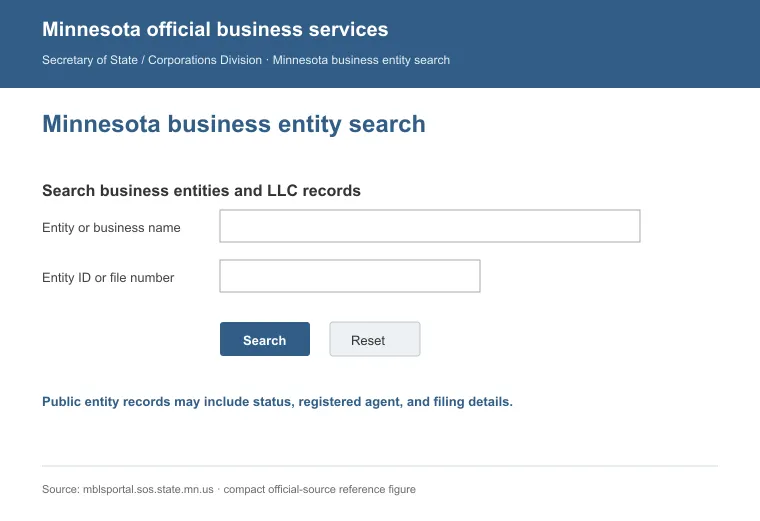
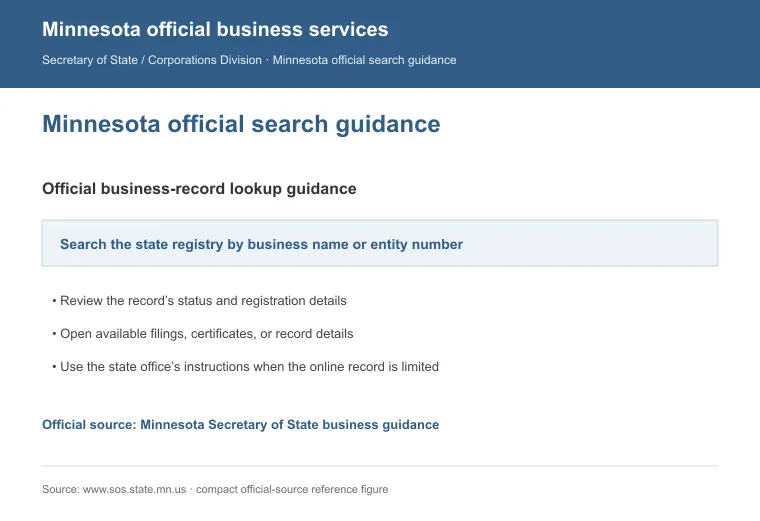
Start with the Business Filings Online portal, the Secretary of State's official search tool for entity filings. It covers both current and prior business names.
Here's what to do:
- Enter the business name or file number
- Click "Search"
- Open the matching result to view the business detail page
The detail page covers the business name, status, file number, filing date and registered agent in a single view you can read directly online.
The portal offers two search options:
a. Search by Business Name
Type a full or partial business name. Narrow results with three filters: Search Scope, Filing Status and Include Prior Names.
b. Search by File Number
Every registered LLC has a file number assigned by the Secretary of State. If you already have that number, enter it in the File Number field and click "Search."
Get Help From Business Services or Try Other Search Options
2. Call Business Services
Call Business Services if the online search doesn't answer your question, or if you need help reading what a result actually means. Phone hours run 9:00 a.m. to 4:00 p.m.
Numbers by location:
- Metro Area: 651-296-2803
- Greater MN: 1-877-551-6767
- MN Relay Service: 711
3. Schedule an Appointment
In-person visits to Business Services are appointment-only (8:00 a.m.-4:00 p.m.), at its First National Bank Building office in Saint Paul.
4. Email the Department
For written questions, reach the office at [email protected]. Include the LLC's name or file number so staff can locate the record.
5. Other Search Alternatives
The Secretary of State's portal is your best first stop, but a few other places can round out the picture.
Worth checking:
- Online business directories, which surface basic contact details.
- The county recorder's office where the LLC operates, for older or local records.
- Licensing boards, for an LLC in a field like healthcare or law.
- A general search engine, especially for an LLC with an active website or social presence.
Use these to fill gaps, then confirm anything important against the Secretary of State's own database before you rely on it.
How to Check If a Business Name Is Trademarked in Minnesota
Checking name availability on the Secretary of State's portal only tells you one thing: whether the name is taken as a registered entity. A trademark conflict needs its own separate check.
1. Federal Trademark Check
The U.S. Patent and Trademark Office runs the federal system. Its current tool is the Trademark Search system at tmsearch.uspto.gov, which replaced the older TESS.
To run a search:
- Open the USPTO's trademark search tool.
- Enter the business name you want to check.
- Review any results that match or closely resemble your name.
- Check the listed class of goods or services. A conflict in one industry doesn't mean a conflict in yours.
The USPTO groups goods and services into 45 trademark classes. That system simplifies registration and helps flag potential conflicts early [1].
2. State Trademark Check
Minnesota's own trademark filing runs through the same Secretary of State's office that handles entity filings, at a $70 filing fee. Search there or call the office to check whether a mark is registered.
3. Talk to an Attorney
Common law trademark rights arise just from using a mark in commerce, with no registration required, and the USPTO does not search for those rights during review [2]. If results aren't clear-cut, a trademark attorney can help.
Reasons to Perform a Search
Reasons to run this search:
- Confirming your chosen business name isn't already taken by another registered entity.
- Making sure your LLC name follows Minnesota's naming rules and doesn't step on an existing trademark.
- Verifying that an LLC you're researching actually exists and shows an Active status with the state.
- Doing your homework before any partnership, investment or deal, since the other party's legal status matters.
Running this search before you file is just smart practice. It cuts legal risk and confirms you're starting on solid ground.
When you're ready to form an LLC in Minnesota, a name search up front is a smart first step. A Minnesota registered agent service can also help keep your filing and compliance dates on track.
The Secretary of State's search tool answers most lookups, and the phone line is there when you need a real person. Our guide to looking up an LLC covers the same process state by state, if you ever need to check a business outside Minnesota.
FAQs
Can I Look Up a Foreign Entity in Minnesota?
Yes. The Business Filings Online portal covers both Minnesota LLCs and out-of-state (foreign) entities registered to do business in Minnesota.
Is There a Fee for Accessing LLC Information on the Portal?
No, basic information on the portal is free to view. Certified copies and other add-on services carry their own fee, listed on the office's current fee schedule.
References:
- https://www.mandourlaw.com/trademark-classes/
- https://www.jdsupra.com/legalnews/ten-trademark-myths-and-how-they-can-77457/