How to Automate Your Bookkeeping (Quick 2026 Guide)

To automate your bookkeeping, connect your bank accounts to accounting software, then set up rules. The software handles the rest.
As a business consultant who has worked with over 150 small businesses on their accounting workflows over the past 9 years, the single biggest time-saver I keep recommending is getting automation right from the beginning.
In this guide, I’ll show you exactly how it works, which bookkeeping tools to use, and how to set it all up, whether you’re starting fresh or fixing a mess.
Quick Summary
- Automation removes boring, repetitive bookkeeping tasks, cuts down on mistakes and keeps your financial records ready for taxes all year long.
- After the initial setup is done, you can layer in separate tools for expense tracking, invoicing, and payroll.
- No single app does everything. The right mix of accounting automation tools, along with some help from a real person when needed, is what makes it work well.
How to Automate Your Bookkeeping: 6 Steps
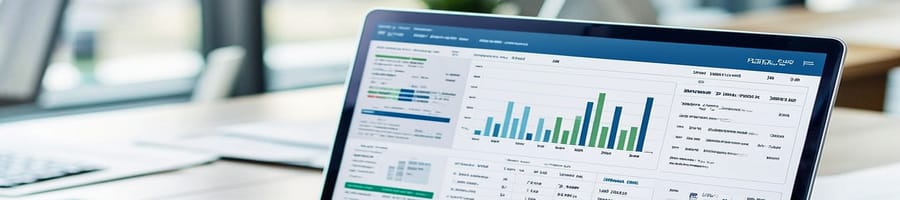
Bookkeeping automation isn't rocket science and only takes six steps. Here's how you do it in practice.
Step 1: Map Your Current Workflow
Before you set up automation, figure out where your time actually goes. Which bookkeeping workflows eat up hours? Where do errors happen most often?
Split tasks that need judgment from tasks that are purely repetitive. Manual data entry, bank reconciliation and invoice generation are good candidates for automation. Tax strategy and financial analysis still need a real person.
One of my clients processing 5,000+ monthly transactions found that 80% of their finance team's time went to data entry alone. That's where automation cut time spent by 78%.
Step 2: Choose Your Accounting Software
The top 5 vendors control roughly 68–80% of the cloud accounting market for good reason. They have figured out how to handle the most common and time-consuming tasks efficiently. Read about the best accounting software.
Then pick the one that:
- Easily connects to your bank
- Sorts transactions automatically
- Grows with your business
- Is simple to use for invoicing
- Works on your phone
- Links with other tools you use.
When small business owners ask me for a quick recommendation, I usually start by asking which bookkeeping tasks consume the most time and would benefit most from automation.
Step 3: Connect Your Bank Accounts and Payment Processors
Link your checking accounts, credit cards, Stripe, and PayPal to your accounting system. Bank transactions sync and pre-categorize automatically — ready for review, not manual entry.
Set up rules for recurring transactions: rent, utilities, subscriptions. Configure vendor-specific categorization for frequent suppliers. The system learns your patterns and handles routine categorization without intervention.
Step 4: Automate Expenses, Invoicing, and Payments
Deploy Expensify or similar accounting tools for mobile receipt capture. Train your team on snapping photos instead of saving paper. Set up automatic mileage tracking for business travel.
Configure recurring invoices for regular customers and automatic payment reminders for overdue accounts. Use Bill.com for bill pay approvals and outgoing payments. Everything syncs back to your bookkeeping software without duplicate entry.
Step 5: Automate Payroll (If You Have Employees)
Gusto runs payroll in minutes, auto-files payroll taxes, and manages benefits deductions. Labor costs sync to your books automatically, eliminating manual payroll journal entries. For contractors, tools with 1099 management handle year-end reporting requirements.
Payroll automation removes one of the most error-prone and compliance-heavy bookkeeping processes from your plate.
Step 6: Set Up Automated Reporting
Schedule monthly profit and loss statements, balance sheets, and cash flow statements to generate and deliver automatically. Configure live dashboards showing key metrics: days sales outstanding, current ratio, profit margins.
Set alerts for unusual activity like expense spikes, negative cash flow and failed payments. You move from collecting financial data to acting on it.
5 Benefits of Automating Your Bookkeeping

I use bookkeeping automation to see my money clearly. Here are five main benefits that demonstrate why automation is so valuable to me.
1. Save Time
Automation cuts hours of routine manual work each month. SCORE reports that 40% of small business owners consider bookkeeping and taxes the worst part of owning a business — largely because of the time these tasks consume [1].
Bank syncing, automatic transaction imports, and recurring invoices eliminate the time-consuming tasks that pull you away from running your business. Month-end close cycles that once took 10+ business days can shrink to 5 to 7 days. High-performing teams with full automation close in just 1 to 3 days [2].
2. Reduce Human Error
Manual data entry has an average error rate of about 1%, which can climb to 4–5% when data is complex or entered under time pressure [3].
Consistent categorization rules and anomaly flagging replace error-prone manual entry that distorts balance sheets and tax records.
Double-entry validation methods, the principle behind automated bookkeeping checks, bring error rates down to as low as 0.14% according to a meta-analysis published in the National Library of Medicine [4].
3. Stay Tax-Ready Year-Round
Automatic expense tracking and organized documentation eliminate the year-end scramble. Every receipt gets timestamped, every transaction categorized, and every supporting record stored digitally.
According to a CPA.com report, firms using AI-driven automation report up to a 70% reduction in time spent on manual tasks and 5 times faster review cycles for tax prep [5].
4. Get Real-Time Financial Clarity
Live dashboards show cash flow, outstanding invoices, and account balances instantly. You stop waiting for month-end reports and start making faster, better-informed decisions. Businesses using AI bookkeeping tools report significantly higher confidence in their financial forecasting.
5. Get Paid Faster
Automated invoicing and payment reminders reduce the gap between delivering work and receiving payment. Recurring invoices go out on schedule. Accounts receivable automation follows up on late payments for you without manual work or uncomfortable client conversations.
3 Best Tools to Automate Your Bookkeeping

I use three main categories of tools for bookkeeping automation, each excelling in different areas and helping streamline different parts of the whole process.
1. Cloud Accounting Software (Your Foundation)
Xero works well for scaling teams and boasts its handy third-party apps ecosystem. QuickBooks dominates the accounting software market with a 62% share overall. Wave gives you free accounting if you are a solopreneur watching your budget. FreshBooks serves freelancers and service businesses with simple invoicing and time tracking.
2. Expense Tracking
Expensify handles the bookkeeping task most business owners dislike most, which is managing receipts. Snap a photo, get one-click approval, and watch it flow straight into your books automatically. No manual work. Data extraction happens through OCR, categorizing expenses without you lifting a finger.
3. Accounts Payable & Receivable
Bill.com automates the full AP/AR cycle. Invoices come in, route through approval workflows, trigger payment reminders, and sync back to your accounting platform. You stop manually entering bill payments and start focusing on higher value tasks.
Where Bookkeeping Automation Falls Short

Automated solutions handle routine tasks. A bookkeeper handles exceptions, edge cases, and strategic guidance.
AI tools categorize transactions with impressive accuracy, but they misread ambiguous entries. Automated reconciliation flags discrepancies, but someone needs to investigate them. Financial reporting generates automatically, but interpreting trends requires human expertise.
The myth that automation replaces accounting professionals entirely is false. And it is not only for large businesses. Small businesses spending $500 to $2,000 a month on bookkeeping actually benefit the most from cutting out manual tasks.
"AI is fundamentally reshaping the accounting profession, accelerating the move toward more strategic advisory services. Firms that embrace AI-enabled solutions are not only creating new efficiencies, but also redefining what is possible in practice." — Erik Asgeirsson, President and CEO
What automation actually does: free up your accounting team or tax professionals for data analysis, valuable insights, and strategic planning instead of repetitive data entry.
FAQs
How Much Does Bookkeeping Automation Cost?
Bookkeeping automation costs range from free to around $150 per month for most small businesses. Add-on tools increase the total depending on your needs.
Can Automated Bookkeeping Replace an Accountant?
Automated bookkeeping cannot fully replace an accountant. You still need a professional for tax strategy, financial analysis, and interpreting complex transactions.
Is Automated Bookkeeping Accurate?
Automated bookkeeping is highly accurate for routine transactions once rules are properly configured. However, ambiguous or unusual transactions still require manual review to maintain accuracy.
What Is the Best Bookkeeping Software for Small Businesses?
The best bookkeeping software for small businesses depends on your size and needs. Xero works well for growing teams. QuickBooks Online has strong integrations. Wave is free for solopreneurs, and FreshBooks serves freelancers with simple invoicing.
How Long Does It Take to Set Up Bookkeeping Automation?
It takes one to two weeks to set up bookkeeping automation for a small business. Connecting bank accounts and payment processors takes minutes. Configuring categorization rules, recurring invoices, and expense workflows requires more time upfront but pays off in hours saved each month.
Conclusion

Automation will not do everything for you. It will not catch every mistake or deal with the tricky edge cases. But it will cut out the boring, repetitive work that’s eating up your time every month.
In my experience, the real difference comes from pairing the right accounting software with the right habits. You will still need to review things once a month but instead of spending a full day on it, it takes about 20 minutes.
If bookkeeping keeps pulling you away from running your business, this is where to start. And if you are still deciding which platform fits your setup, our best accounting services for small business guide covers the top 5 options so you can pick the right one.
References
- https://www.score.org/resource/infographic-look-accounting-and-taxes
- https://upflow.io/blog/cfo-reads/month-end-close
- https://www.qualitymag.com/articles/96853-manual-data-entry-and-its-effects-on-quality
- https://pmc.ncbi.nlm.nih.gov/articles/PMC10775420/
- https://www.accountingtoday.com/news/bookkeeping-totally-automated-tax-compliance-not-far-behind

