How to Look Up an LLC in North Dakota (2026)

To look up an LLC in North Dakota, use the Secretary of State's search tool inside the FirstStop Portal and enter the business name.
The Business Search tab covers LLCs, corporations and other business entity types. Trademarks, contractors, lobbyists, charitable organizations and notaries each have their own search tab in the same portal.
This guide walks through every search method available, how to read what the results actually mean and how to check whether a name is already trademarked in North Dakota before you commit to it.
Quick Summary
- Enter the business name into the FirstStop Portal's search box. No account or login is needed to run it.
- North Dakota has no separate name-reservation filing. Checking a name's availability and registering it are two different steps.
- Call or email the Secretary of State's Business Services division when the search tool leaves a question unanswered.
| Method | What to Enter | Best For |
|---|---|---|
| Business Name Search | Full or partial LLC name | Checking name availability or finding a specific entity |
| Advanced Search | Entity type or other filing criteria | Narrowing a common or crowded name search |
| Trademark Search | The business name or mark | Checking whether a name is trademarked in North Dakota |
How to Search for an LLC in North Dakota
Several ways work in North Dakota: open the FirstStop Portal, call the office or send an email. The portal answers right on the screen, while the phone and email options are there for anything the search tool can't settle.
1. Use the FirstStop Portal
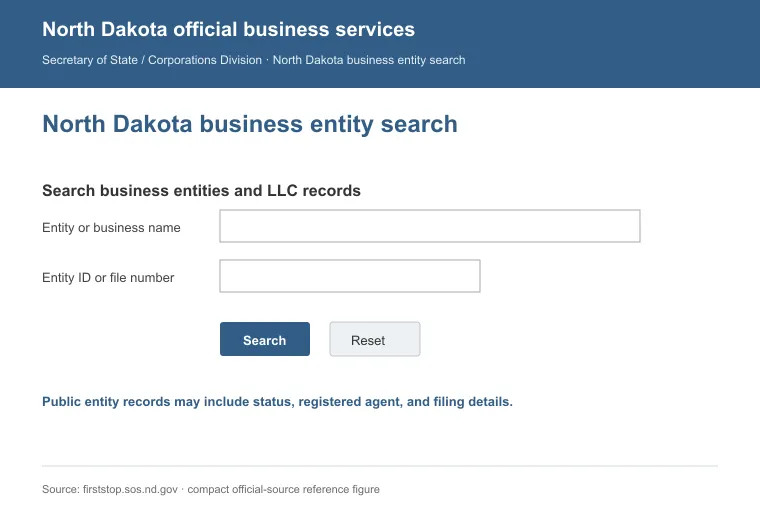
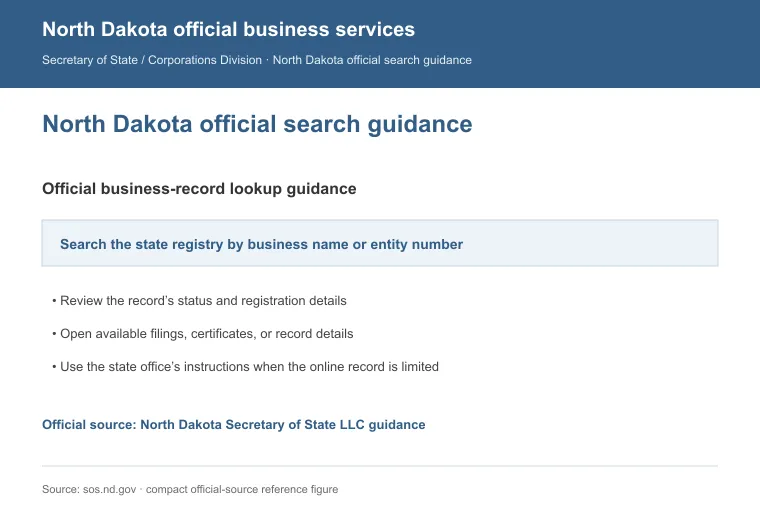
The FirstStop Portal is the state's own search tool and a fast way to confirm whether an LLC is registered in North Dakota.
Here's how to use it:
- Open the Business Search page.
- Type the business name (or part of it) into the search box, or switch to the Advanced option for other search criteria.
- Submit the search and scan the results for the LLC you're looking for.
- Select the entity to open its filing record.
a. Search by Name
Enter the full or partial business name. A partial name is a good starting point if you're unsure of the exact spelling.
b. Use the Advanced Search Option
Switch to the Advanced tab for other search criteria when a plain name search returns more results than you want to scan through.
2. Call the Secretary of State's Office
For a question the search tool can't answer:
- Phone: 701-328-2900
- Toll-free: 800-352-0867
3. Send an Email
For a non-urgent question, or one you want a written answer to:
- Business Services email: [email protected]
4. Check the Trade Name Listing Too
A trade name (a "doing business as" name) registers separately from an LLC's legal name, and it's searchable through the same FirstStop Portal [1]. Check it too if the business you're researching uses a different public-facing name.
How to Read North Dakota LLC Search Results
Once you open a match in the FirstStop Portal, the filing record shows the details that matter most: whether the business is Active, and whether it's in Good Standing. This applies across every LLC type North Dakota registers, business or farming/ranching [2].
A "Good Standing" business has filed its required annual reports. "Not Good Standing" flags a missed filing [3]. That status is worth taking seriously before you sign a contract or rely on that business for anything.
How to Check If a Business Name Is Trademarked in North Dakota
Checking whether a business name is trademarked in North Dakota comes down to two resources: the FirstStop Portal's trademark search and the U.S. Patent and Trademark Office (USPTO). Run both. State and federal protection are separate, and a name can be clear at one level and already taken at the other.
1. Search North Dakota's Trademark Registry
- Open the Trademark Search tool in the FirstStop Portal.
- Enter the business name or mark you want to check.
- The results show whether that name, or something close to it, is already registered with the state.
Registering a trademark or service mark with North Dakota is optional. State registration under N.D.C.C. ch. 47-22 gives exclusive rights to the mark inside the state [4].
2. Search the USPTO Database
- Use the USPTO's trademark search system to check federal registrations.
- A federal mark outranks a state registration, and this is the search that tells you whether the name is clear nationwide.
Reasons to Search for an LLC in North Dakota
There are more reasons to run an LLC search than a name check alone. Whether you're vetting a partner, sizing up the competition or getting ready to sign a deal, a quick lookup can save you a lot of trouble later.
Here are the main reasons it's worth doing:
- Verifying Business Legitimacy: Confirm a business is actually registered before you rely on anything it tells you.
- Due Diligence for Partnerships: Check a prospective partner's standing before you form an alliance.
- Legal Disputes: Pull a copy of the entity's filing record to support a legal proceeding.
- Trademark Checks: Catch a naming conflict before it turns into a legal problem.
- Checking Business Health: A lapsed or "Not Good Standing" entity is a sign of how well a company keeps up with its state obligations.
- Name Availability: Confirm your preferred name isn't already taken before you start an LLC in North Dakota.
The same tool helps when comparing a registered agent service in North Dakota, or vetting a North Dakota LLC formation service.
For a company registered somewhere else, see our guide to looking up an LLC. It covers the same steps for every other state. If you're closing a North Dakota entity instead of researching one, see our guide to dissolving an LLC in North Dakota.
FAQs
Does North Dakota Let Me Reserve a Business Name Before I File?
No. North Dakota has no filing to reserve a business name in advance. Check availability with the Business and Trademark Search tools, then file your registration to secure it.
What if the LLC I'm Searching for Isn't Found?
If the LLC you're searching for isn't found, it could mean the business isn't registered in North Dakota, or that your search criteria need adjusting. Try a shorter or partial version of the name, and double-check the spelling.
How Much Does It Cost to Form an LLC in North Dakota?
Forming an LLC in North Dakota costs $135 to file the articles of organization, whether the LLC is domestic or foreign. The annual report that follows costs $50.
Is There a Deadline for North Dakota's LLC Annual Report?
Yes. North Dakota's LLC annual report deadline is November 15 every year for a standard business LLC. Missing it puts the business into Not Good Standing status with the Secretary of State.
References:
- https://sos.nd.gov/business/business-services/register-business
- https://sos.nd.gov/business/business-services/business-structures/limited-liability-companies/limited-liability-company-llc
- https://sos.nd.gov/business/business-services/maintain-registration
- https://ndlegis.gov/cencode/t47c22.pdf