How to Look Up an LLC in Alaska (2026)

To look up an LLC in Alaska, search the state's Corporations Database. It's the free public search tool run by the Corporations Section. No login is required.
Search by entity name, entity number or registered agent name. Results show the entity's status, formation date and registered agent details.
This guide covers each search method and what results show. It also says who to contact if the database can't answer your question.
Quick Summary
- The state's own database is free and current. Skip paid third-party lookup sites that resell the same public record.
- The Entities search covers all business types at once. So a results list may mix your target LLC with corporations, partnerships and nonprofits.
- If a name search doesn't turn up a company, try the Entity Number or Agents search before ruling it out.
| Search Method | What to Enter | Best For |
|---|---|---|
| By entity name | The business name, with Starts With or Contains matching | Browsing possible matches or checking name availability |
| By entity number | The Alaska entity number, if you already have it | An exact match when you know the ID |
| By registered agent (Agents search) | The agent's name | Finding every entity tied to one registered agent |
| By individual (Officials search) | The person's name | Finding businesses tied to one individual named on file |
How to Search Alaska's Business Entity Database
The Search Corporations Database is run by the Corporations Section of Alaska's Division of Corporations, Business and Professional Licensing. Every method below starts from that same search page.
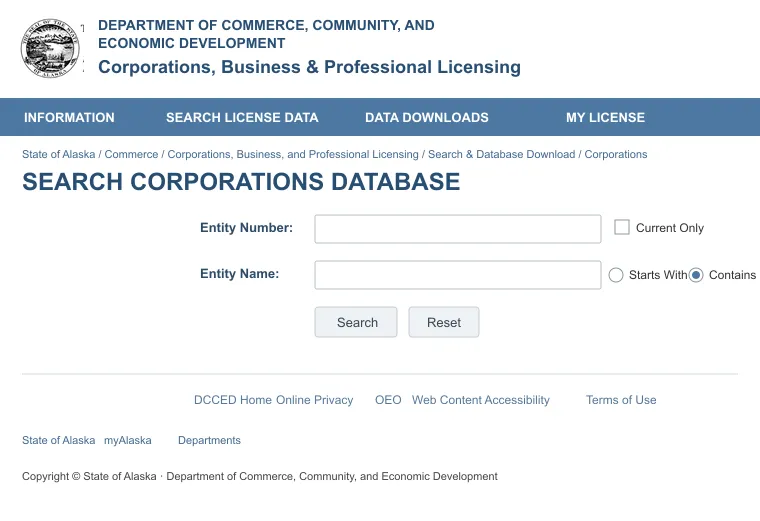
1. Search by Entity Name
Enter the company name and choose Starts With or Contains. Contains catches more variations if you're unsure of the exact wording.
The results list all entities that match, active or not. So check the status column before assuming a name is taken.
2. Search by Entity Number
If you already have the entity's Alaska number, enter it for a direct match. This skips the guesswork of a name search completely.
3. Search by Registered Agent or Individual Name
The Corporations Section runs separate Agents and Officials searches from the same navigation menu. An Agents search lists all entities tied to one registered agent. An Officials search works by an individual's name instead.
What the Search Results Show
Each record lists the entity name, entity type and current status, most often Good Standing or Non-Compliant. A non-compliant entity that never catches up can end up dissolved or revoked by the state.
Alaska tracks the registered agent for all entities on file. That's what makes the Agents search work. It looks up an agent's name and returns all businesses tied to that agent.
A status other than Good Standing usually means a missed filing. Dissolution and other outcomes are possible too. It's worth a closer look before you decide what the status means.
If you're picking an agent for your own company, compare the best registered agent services in Alaska. Don't just copy what shows up in someone else's record.
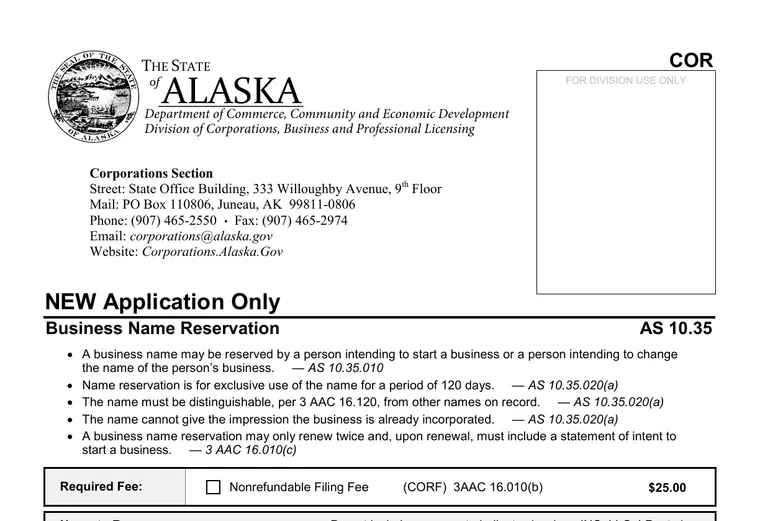
Contact the Alaska Corporations Section
For anything the database can't answer, the Corporations Section takes questions directly [1]. Phone, email and mail all reach the same office.
- Phone: (907) 465-2550
- Fax: (907) 465-2974
- Email: [email protected]
- Mail: PO Box 110806, Juneau, AK 99811-0806
A call works best for a walk-through of the search itself. Email works better for document requests, when you want a written record of the answer. Either way, have the entity name or number ready before you reach out.
Why You Might Need to Look Up an Alaska LLC
Three situations send people to the database:
- Making sure a potential partner, vendor or customer is active and in good standing before signing a deal.
- Checking whether a business name is available before starting an LLC in Alaska under that name.
- Finding a company's registered agent and address so legal documents reach the right place.
A quick search answers basic questions about an Alaska LLC. Verify a company's standing yourself, instead of taking someone else's word for it. The search costs nothing and takes a few minutes. So there's little reason to skip it before you sign anything.
For any other state, see the national guide on how to look up an LLC. It covers all state registries and their quirks.
FAQs
Can I Look Up Who Owns an Alaska LLC?
Yes, sometimes you can look up who owns an Alaska LLC. Alaska's biennial reports and Change of Officials filings list members and managers by name with ownership percentage, and those filings are public and searchable through the Officials search. Articles of Organization alone list only the registered agent.
Can I Search for an Alaska LLC by Its EIN?
No, you can't search for an Alaska LLC by its EIN. The EIN is a federal tax number issued by the IRS and isn't part of Alaska's public business record.
Is an Alaska Business Name Search the Same as a Trademark Search?
No, an Alaska business name search doesn't check trademarks. It only confirms whether the name is available in Alaska's own registry, not whether it infringes a federal or state trademark.
References:
- https://www.commerce.alaska.gov/web/Portals/5/pub/08-559.pdf