How to Look Up an LLC in Ohio (2026)

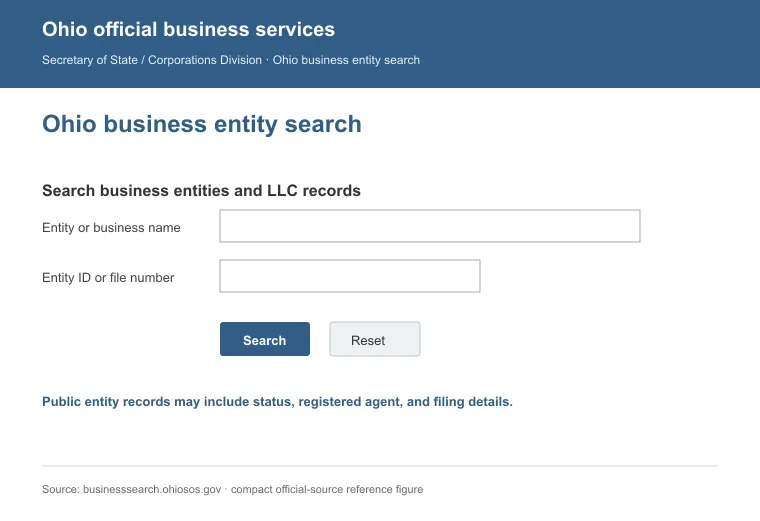
Search for an Ohio LLC through the Secretary of State's free Business Search. Type in the company name, its statutory agent or its entity number to pull up the record.
The listing shows the LLC's filing status, formation date and statutory agent on one page. Use the same search whether you're confirming a name before you file or checking out a company before you sign a contract.
Quick Summary
- Use Prior Business Name if the LLC changed its name since it first registered.
- Use the entity number instead of a name when you need one exact record fast.
- Ohio's own search only covers state filings, so check the USPTO's federal database too before you commit to a name.
| Method | What to Enter | Best For |
|---|---|---|
| Business Name | Full or partial LLC name | A general search when you know the name |
| Prior Business Name | A name the LLC used before a change | Tracing an LLC that has been renamed |
| Agent/Registrant | The statutory agent's name | Finding every entity that lists a given statutory agent |
| Organizer/Incorporator | The person who formed the LLC | Finding every entity one person organized |
| Number Search | The Document ID or entity number | The fastest way to pull up one exact record |
How Do I Look Up an LLC in Ohio
The quickest way to look up an LLC in Ohio is the Ohio Secretary of State's Business Search. It's a free online tool with no login required.
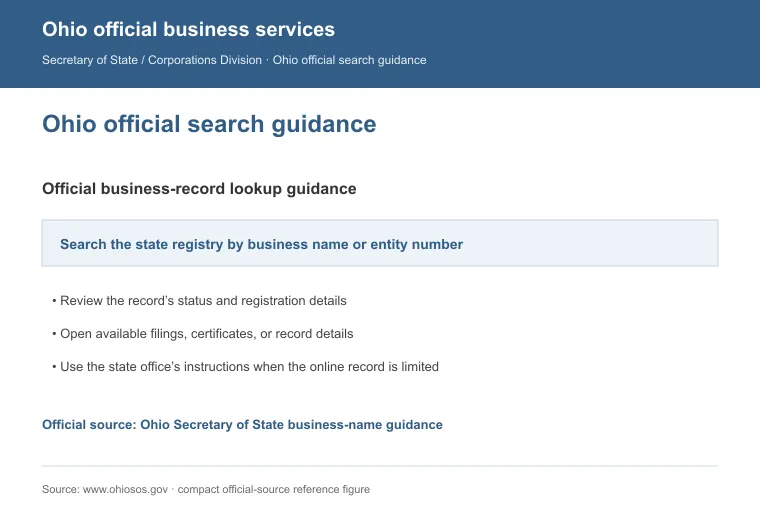
You can also reach the Secretary of State's office by phone or email if you'd rather skip the website. If you haven't filed yet, run this search first to confirm your name is free, then see our guide to starting an LLC in Ohio for the next steps.
1. Search the Website
Follow these steps to search Ohio's business database:
- Open the Business Search and pick a search type: business name, prior name, agent or registrant, organizer or incorporator, or number search.
- Type in what you know, then click search.
- Scan the results list for the LLC you're after.
- Open the entity's detail page to see the full record.
- Check the formation date, statutory agent and status on the detail page.
2. Call the State
Dial 1-877-767-6446 to reach the Secretary of State's office directly if you'd rather talk to a person than search online.
3. Send an Email
Write to [email protected] for a request you want in writing. Email works well when your question needs a detailed answer.
Other Ways to Check on an Ohio LLC
The official search stays the most reliable option, but a few other tools can round out your research. They won't confirm a legal filing, so treat them as background reading alongside the state's own records:
- Social media: LinkedIn and similar platforms often show a business's current activity and contacts.
- Search engines: A plain web search can surface news, reviews and the company's own website.
- Business directories: Yelp and the Better Business Bureau list many LLCs alongside customer reviews.
- Local chambers of commerce: Chambers often keep their own list of member businesses in the area.
- Industry-specific databases: Some fields, like contracting or healthcare, run their own licensing lookups.
If you're doing business in more than one state, see our guide to looking up an LLC for the same process everywhere else.
How to Check If a Business Name Is Trademarked in Ohio
Ohio runs two separate trademark checks. One searches marks registered with the state, the other searches marks registered with the federal government.
1. State Trademark Check via the Ohio Secretary of State
The Ohio Secretary of State's trademark search covers marks registered at the state level. Search by name to see what's already on file before you commit to one.
Ohio requires new LLC names to be distinguishable from names already on record, and this search is how you check that before you file.
2. Federal Trademark Check via the USPTO
For federal coverage, search the USPTO's Trademark Search tool. This is the tool that replaced TESS, which the USPTO retired on November 30, 2023 [1].
A federal trademark can block your name even if Ohio's own registry shows it as clear, so check both before you commit.
Reasons to Perform an Ohio LLC Search
Searching before you file, partner or sign isn't just paperwork. It protects you from problems you'd otherwise find out about too late.
Here are the main reasons to run a search:
- Confirm the LLC's legal status before you sign anything.
- Make sure no other business already operates under the same name.
- Look into a company's filing history before you invest or partner.
- Check that a vendor or partner follows Ohio's business rules.
- Study competitors and who else operates in your market.
- Vet a business before you finalize a deal.
Ohio doesn't require LLCs to file an annual report, so a search won't turn up any yearly renewal filings. What it will show is whether the statutory agent on file is current, since Ohio law requires an LLC to maintain one continuously [2].
If you're comparing formation providers instead of an existing LLC, the best LLC services in Ohio get the same kind of hands-on review before we recommend them. Either way, Ohio's business search costs nothing to run, and it works the same whether you're vetting a name or a future business partner.
FAQs
How Do You Look Up Who Owns LLCs In Ohio?
To look up who owns LLCs in Ohio, you can't get ownership details from the Secretary of State's search. Ohio doesn't require LLCs to list members publicly, only the statutory agent and organizer. Ask the company directly, or check other public records that name the owner.
How Do I Find My Ohio LLC Entity ID?
To find your Ohio LLC entity ID, visit the Ohio Secretary of State website. From there, you can either use the online search or request a copy of the records.
References:
- https://www.uspto.gov/subscription-center/2023/retiring-tess-what-know-about-new-trademark-search-system
- https://codes.ohio.gov/ohio-revised-code/section-1706.09